CaptureGem Recording Guides
Short, step-by-step guides for recording public shows with CaptureGem, the desktop recorder for Windows, macOS and Linux. Pick a site to see which link or username to use, what each status means and where your recordings end up.
The basics, on every site
- Download CaptureGem for Windows, macOS or Linux.
- Copy the model's room link, or note their username or ID.
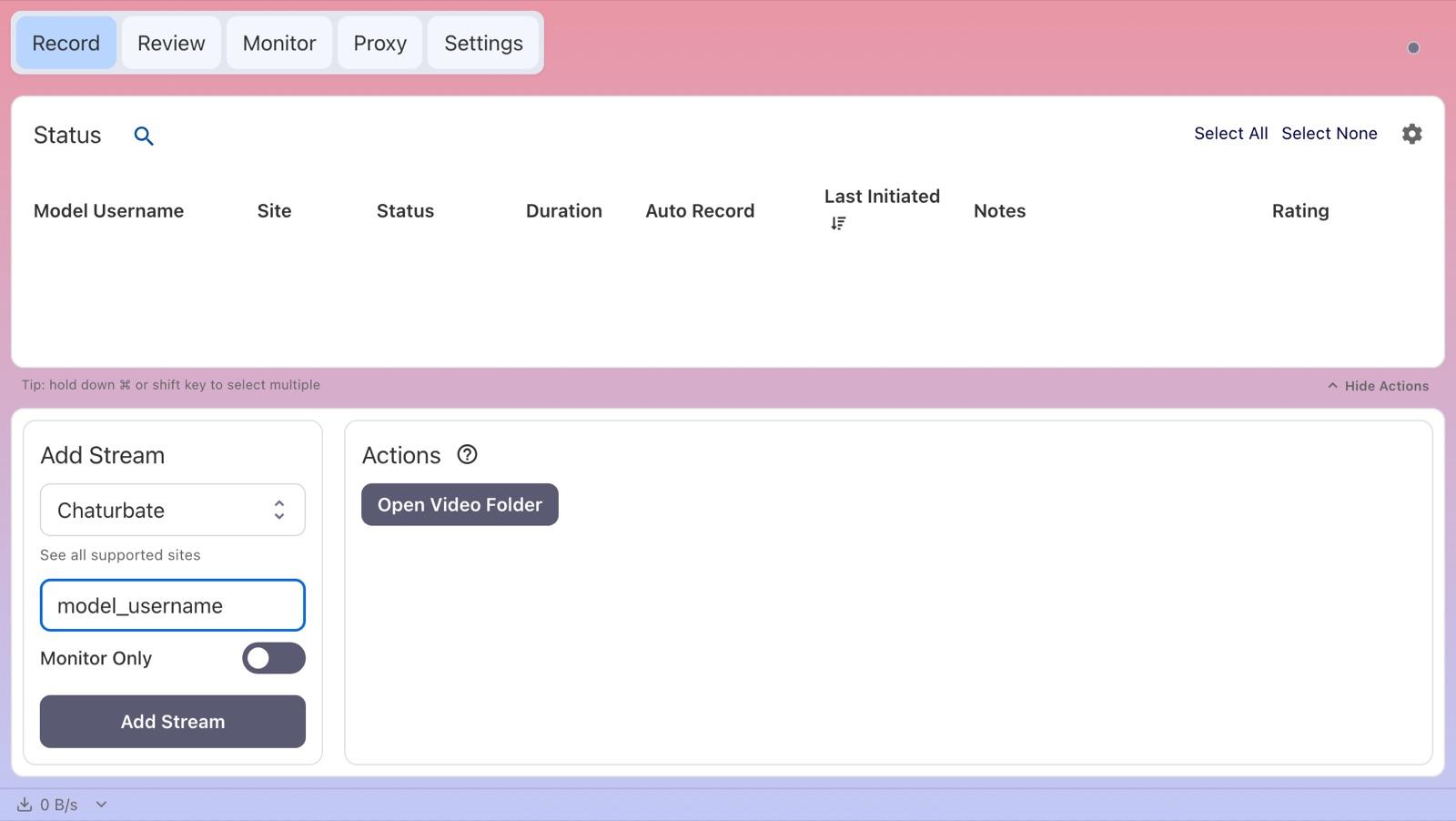
- On the Record tab, paste it into the Add Stream panel, check the selected site, leave Monitor Only off and click Add Stream.
- Find finished recordings in the Review tab or with Open Video Folder. They're MP4 files by default.
The free version saves up to 5 minutes per recording and lets you add up to 10 models. Premium removes those limits and can record models automatically whenever they come online.
Pick your site
- Chaturbatechaturbate.comPaste a Chaturbate room link or type the username to record public shows. Most regions need no Chaturbate account.Read the Chaturbate guide →
- Stripchatstripchat.comRecord public Stripchat shows from stripchat.com or its regional addresses, with no Stripchat account.Read the Stripchat guide →
- XHamsterLivexhamsterlive.comRecord available public XHamsterLive streams from xhamsterlive.com or xham.live links.Read the XHamsterLive guide →
- StripchatVRVRstripchat.comSelect StripchatVR first, then add the username or vr.stripchat.com link to save public VR shows as the original VR stream.Read the StripchatVR guide →
- BongaCamsbongacams.comRecord public BongaCams shows from bongacams.com room links, with no BongaCams account.Read the BongaCams guide →
- CamSodaKeep app opencamsoda.comRecord public CamSoda shows with the CaptureGem desktop app open, no CamSoda account needed.Read the CamSoda guide →
- CameraPrivecameraprive.comRecord available public CameraPrive room streams using the username from the room link.Read the CameraPrive guide →
- MyFreeCamsmyfreecams.comChoose MyFreeCams and type the model's username to record public shows, no MyFreeCams account needed.Read the MyFreeCams guide →
- Flirt4Freeflirt4free.comRecord public Flirt4Free shows using the exact lowercase, hyphenated name from the room link.Read the Flirt4Free guide →
- Streamatestreamate.comRecord public Streamate shows from a /cam/ room link with CaptureGem 2.14.14 or later.Read the Streamate guide →
- Jerkmate2.14.3+jerkmate.comRecord public Jerkmate shows from a /cam/ room link, no Jerkmate account needed.Read the Jerkmate guide →
- LiveJasminKeep app openlivejasmin.comRecord available public LiveJasmin streams with the CaptureGem desktop app running.Read the LiveJasmin guide →
- ManyVids2.14.11+Keep app openmanyvids.comRecord public ManyVids Live shows with CaptureGem 2.14.11 or later, using the creator's room link or handle.Read the ManyVids guide →
- Cams.comcams.comRecord public Cams.com broadcasts from a room link or username, no Cams.com account needed.Read the Cams.com guide →
- Cam4cam4.comRecord public Cam4 shows from a room link or username, no Cam4 account needed.Read the Cam4 guide →
- XCams2.14.9+Keep app openxcams.comRecord public XCams rooms with CaptureGem 2.14.9 or later, using the browser built into the desktop app.Read the XCams guide →
- XLoveCamxlovecam.comRecord available public XLoveCam streams with the latest CaptureGem release.Read the XLoveCam guide →
- DreamcamVRdreamcam.comRecord a Dreamcam model's public VR stream as side-by-side VR video, no Dreamcam account needed.Read the Dreamcam guide →
- SexLikeRealVRsexlikereal.comRecord public SexLikeReal VR cam shows from the model's cam page link, no SexLikeReal account needed.Read the SexLikeReal guide →
- AmateurTVKeep app openamateur.tvRecord public AmateurTV shows with the CaptureGem desktop app open, no AmateurTV account needed.Read the AmateurTV guide →
- Sexchat.husexchat.huRecord free Sexchat.hu shows as a guest, using the model's exact screen name or room number.Read the Sexchat.hu guide →
- TangoMetango.meRecord available public TangoMe broadcasts using the /stream/ link or its stream ID.Read the TangoMe guide →
- Bigo TVbigo.tvRecord available public Bigo TV streams with the built-in Bigo TV site and the broadcaster's BIGO ID.Read the Bigo TV guide →
- Superlivesuperlive.chatRecord available public Superlive broadcasts from a profile link, livestream link or numeric profile ID.Read the Superlive guide →