How to Record Bigo TV with CaptureGem
CaptureGem has a built-in Bigo TV integration that records available public live streams. It's included in both the Free and Premium plans.
- Works on
- Windows, macOS and Linux
- Link format
https://www.bigo.tv/bigo_id
Install CaptureGem
Download CaptureGem for Windows, macOS or Linux and open the desktop app. Use the latest version of CaptureGem.
Copy the room link
Open the broadcaster's live page on Bigo TV and copy its address, such as https://www.bigo.tv/bigo_id.
You can paste that link or enter the public BIGO ID shown in it. The display nickname may differ from the BIGO ID.
Add the stream
On the Record tab, paste the link or the BIGO ID into Enter URL or Username in the Add Stream panel, and check that Bigo TV is selected under Select Website.
Leave Monitor Only switched off so the stream is saved, then click Add Stream.
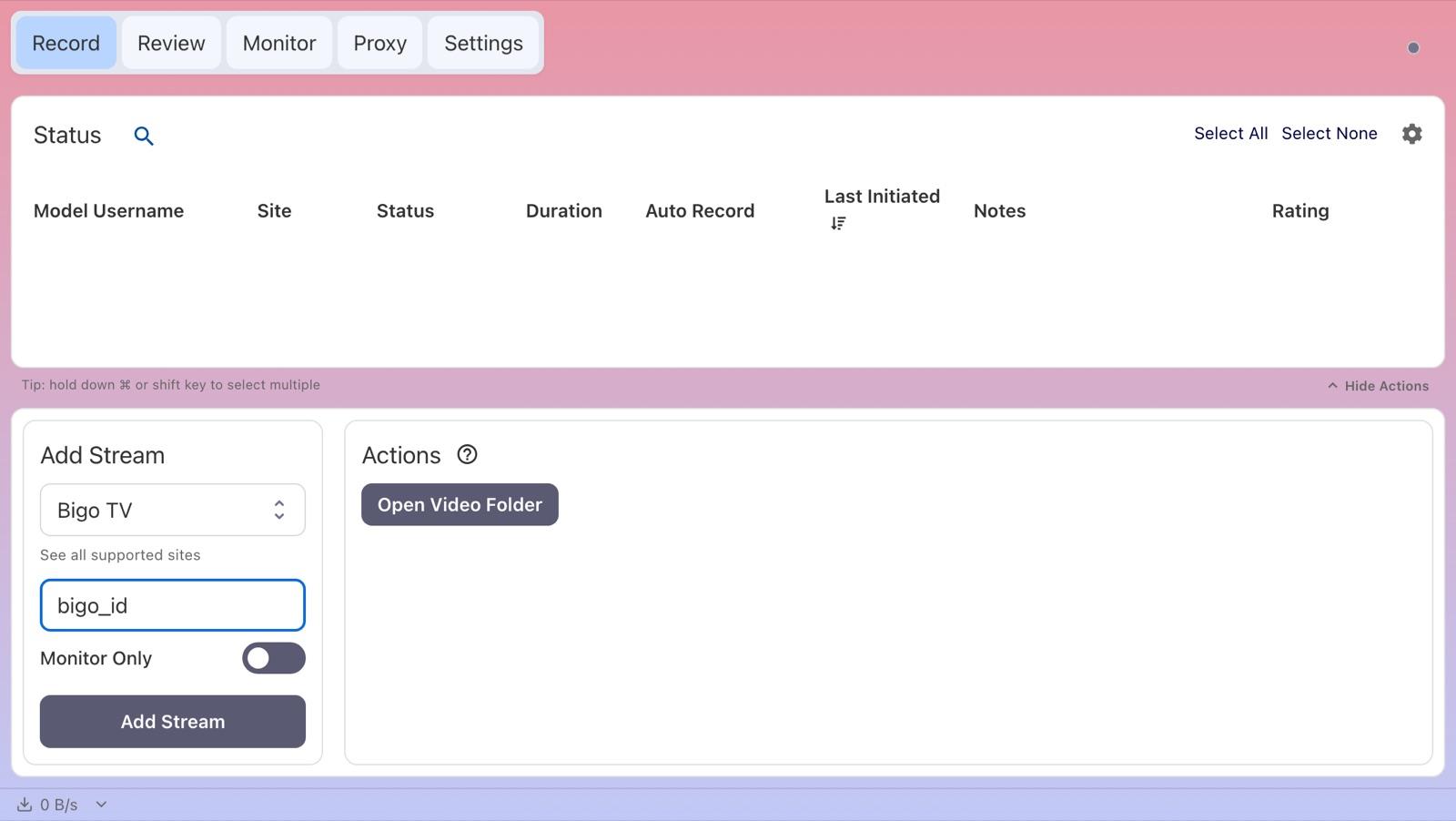
Record the show
Watch the stream's row: its status switches to Recording once a public stream is available. An offline or unavailable stream doesn't produce a video straight away.
Find your recording
When a recording ends, CaptureGem processes it into a finished video file. Long recordings can take a little while.
- Open the Review tab to play, trim, tag or delete the recording, or click Open Video Folder on the Record tab.
- Recordings are saved as MP4 files by default.
- With Premium, each file is up to 60 minutes long by default, and auto-record starts the next file straight away.
- The save location, the file length (Cap Video Segments at Duration (Minutes)) and the file container can all be changed in Settings.
Free version and auto-record
- Free: saves up to 5 minutes per recording and lets you add up to 10 models. A model is recorded when you add or start them while they're live, so if they were offline, start the recording again later.
- Premium: removes those limits and adds auto-record. Select the model on the Record tab, choose Modify Auto Record under Actions, then pick Record Always. CaptureGem then records whenever the model comes online and restarts after a disconnect. Compare plans.
- To auto-record every model you add from now on, turn on Auto Record All Newly Added Models in Settings (Premium).
The Monitor tab shows live previews of everything you're recording.
Bigo TV notes and troubleshooting
- Built-in siteSelect Bigo TV, not Other Site.
- Offline or password-protected roomsThe broadcaster needs a public live stream. Offline or password-protected rooms can't be recorded through this public-room integration.
If a recording keeps failing, update CaptureGem, check that the stream plays in your browser, and ask in the CaptureGem Discord community. Premium members can also send a failed recording to support.