CaptureGem vs Moniturbate: Two Monitor-and-Record Apps Compared
Published
Moniturbate and CaptureGem are built around the same idea: keep a list of models, see who is online and save their shows to your own computer in the best quality available. If you follow a few models from our model directory, either one can record them.
Where they differ: the computers they support, the number of sites, what you get for free and what you can do once a show is saved. Here is a practical walk through each.
Feature comparison
| Feature | CaptureGem | Moniturbate |
|---|---|---|
| Desktop app | Windows, macOS, Linux | Windows (its free Chrome extension also runs on macOS and Linux) |
| Built-in sites | 24, plus 130+ more through Streamlink | Lists 10 |
| VR sites | StripchatVR, Dreamcam, SexLikeReal | Not mentioned |
| Free version | Up to 10 models and 5 minutes per recording, several at once | Monitor as many models as you like; record one at a time |
| Paid plan | Premium | Premium, listed at $29 per month |
| Auto-record | Premium | Premium |
| Simultaneous recordings | Unlimited with Premium, as bandwidth allows | Unlimited with Premium, as bandwidth allows |
| Formats | MP4 by default, MKV optional | .ts and MP4; Premium auto-encodes to MP4 |
| Cross-site groups | Yes, with Premium | Not advertised |
| Review library | Image grids, tags, favorites, deletion protection | Not advertised |
| Editor | Keep or cut sections, combine recordings | Cut, trim and extract clips |
Keeping track of your models
Moniturbate's monitoring list shows each model as online or offline with a live thumbnail, which makes it easy to see who is on. On the free plan the list can be as long as you like, but it isn't saved between sessions, so you rebuild it every time you open the app. Premium saves it.
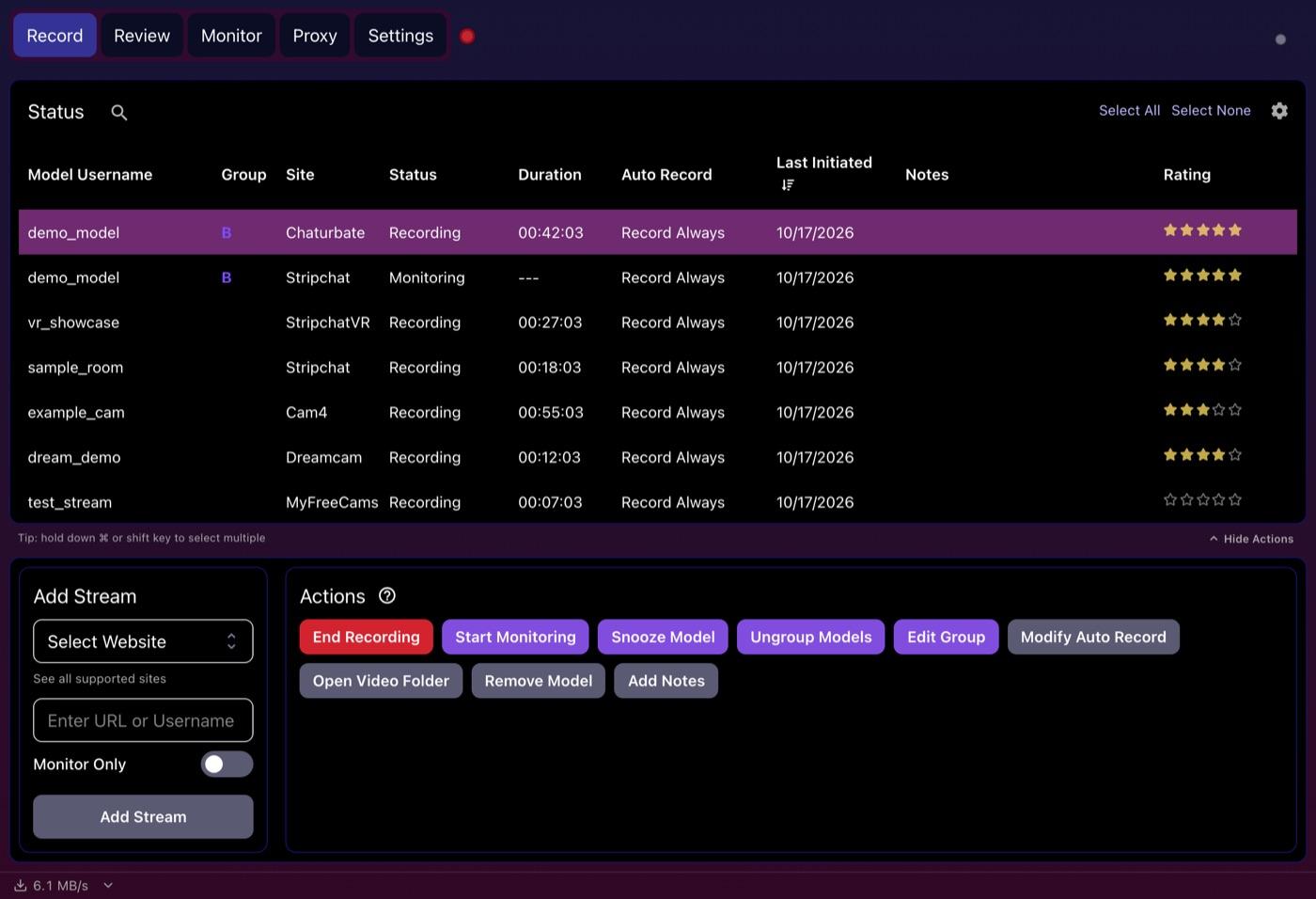
CaptureGem's Record tab is one table of everyone you've added, with their site, status, recording time, auto-record mode, group, notes and a star rating. From the Actions panel you can snooze a model, switch them to monitoring only or open their video folder, and a download-speed indicator shows how much bandwidth you are using.
Trying them for free
Both apps have a free version, limited in different ways. Moniturbate's free plan can only record one model at once and has no auto-record. CaptureGem's free version records several models at once, up to 10 models, but each recording stops at 5 minutes, and it only records models who are live when you add or start them.
In other words, CaptureGem's free version is a test drive: a quick way to check that it handles your sites and models before you pay. For everyday use, both apps steer you toward their paid plans, which unlock auto-record and as many recordings at once as your connection can carry.
Moniturbate's website has Premium listed at $29 per month. CaptureGem's current Premium options are on its plans page.
Sites, VR and your computer
Moniturbate lists 10 platforms: Chaturbate, Stripchat, Cam4, CamSoda, Flirt4Free, BongaCams, Streamate, LiveFreeFun, MyFreeCams and Jerkmate. LiveFreeFun isn't one of CaptureGem's built-in sites, so check that if it matters to you.
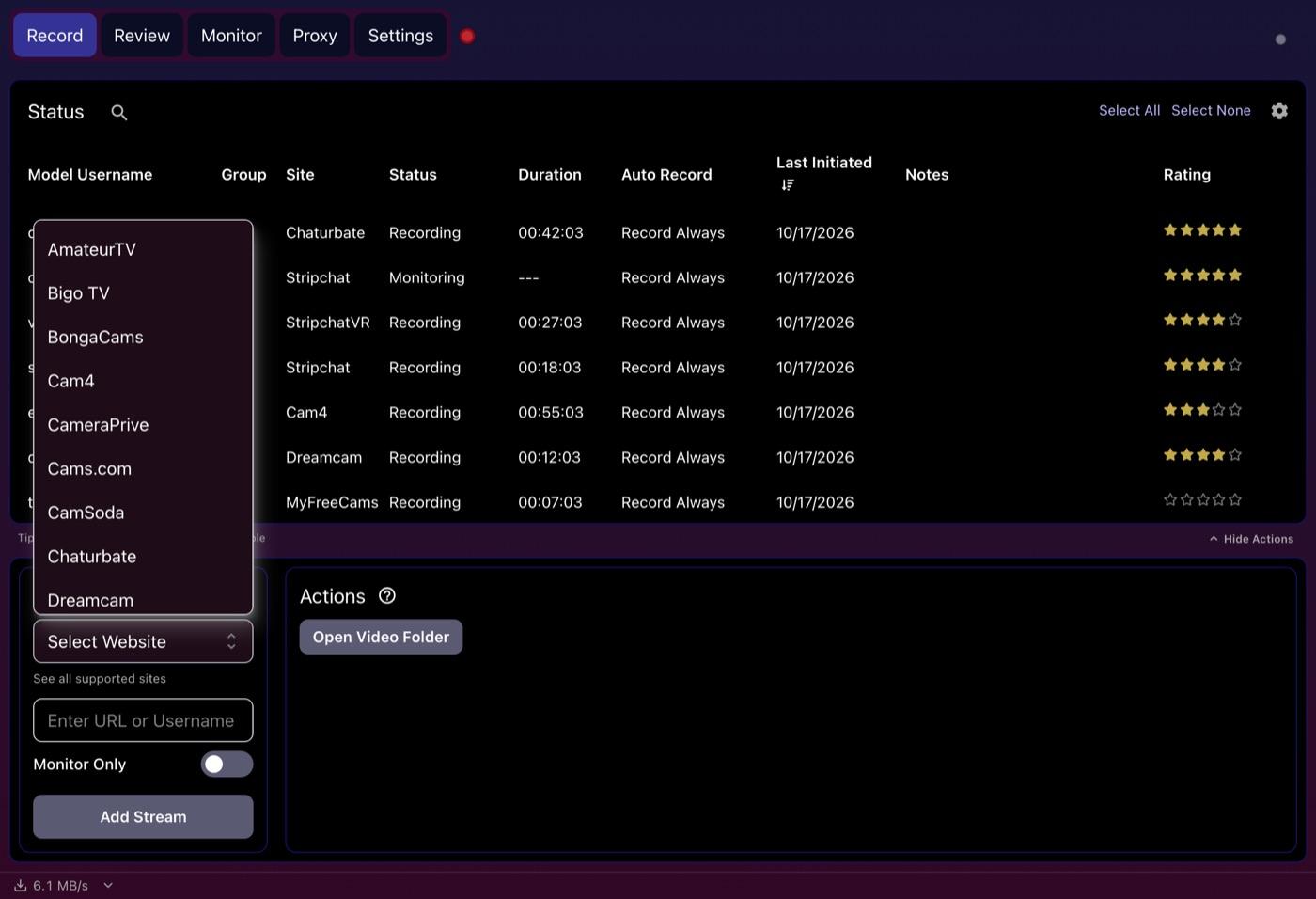
CaptureGem covers the rest of that list and much more: 24 built-in sites, such as LiveJasmin, ManyVids, XLoveCam, CameraPrive and Cams.com, and 130+ other platforms via Streamlink. It handles three VR sites as well (StripchatVR, Dreamcam and SexLikeReal), saving side-by-side VR MP4 files whose names end in _F120_LR, ready for headset players like HereSphere. Moniturbate doesn't mention VR. See our StripchatVR guide for how VR recording works.
Your computer matters too. Moniturbate's desktop recorder is Windows software; its free Chrome extension runs on macOS and Linux, but that is a separate product. On a Mac or a Linux PC, CaptureGem is the one with a desktop app for you.
One performer on several sites
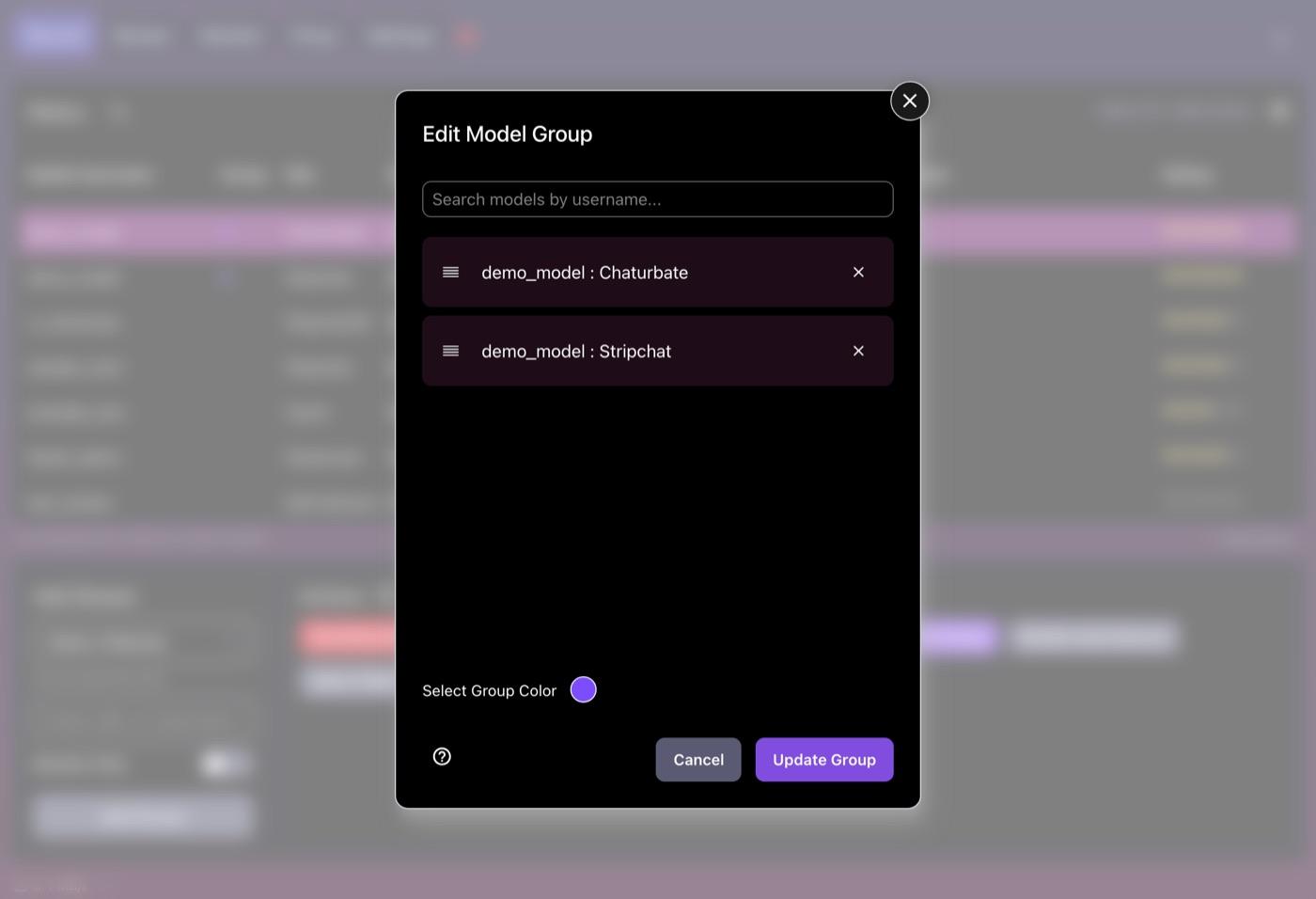
Many performers stream on two or more sites. With CaptureGem Premium you can put their rooms into one cross-site group, and if one room goes offline or private, CaptureGem can switch to recording another site in the group. Moniturbate doesn't advertise cross-site grouping.
Quality, files and editing
Both apps aim for the highest quality the stream offers. Moniturbate advertises up to 4K and 60 FPS, as well as 720p and 1080p, when a stream provides them. CaptureGem writes MP4 files unless you pick MKV, and breaks long shows into 60-minute pieces by default.
Each has a built-in editor. Moniturbate's cuts, trims and extracts clips, exported as compressed MP4 files. CaptureGem's lets you keep or cut sections and save a new file, and you can combine several recordings into one.
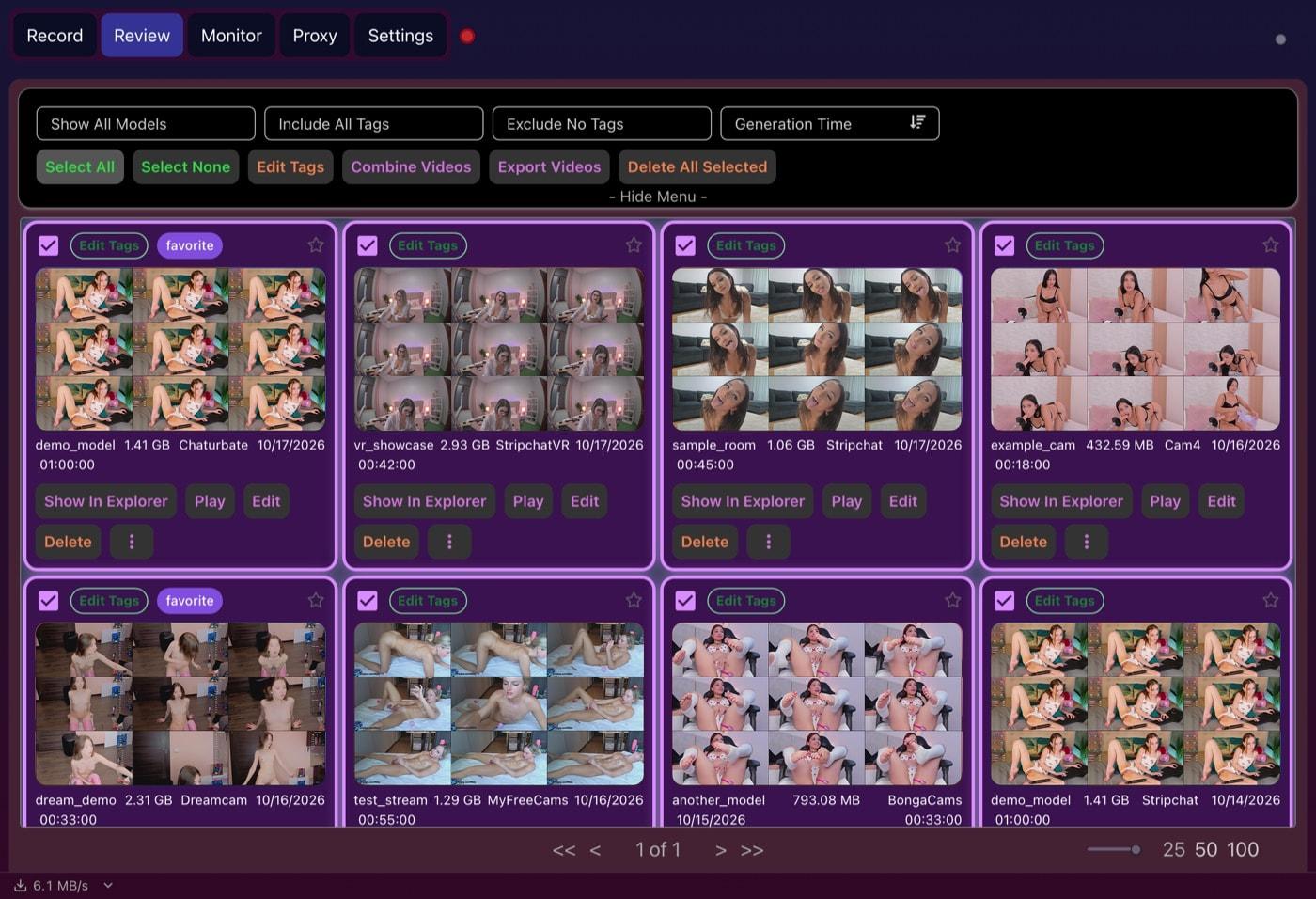
Where CaptureGem pulls ahead is the library. Its Review tab shows every recording as a card with its own grid of preview images; filter the cards by model or tag, mark favorites, protect keepers from deletion, or select a batch to tag, combine, export or delete together. Moniturbate doesn't advertise a review library like that.
Which should you choose?
Moniturbate is a credible, simple tool. If you are on Windows, all your models are on its list and you like its monitoring view, it will serve you well.
CaptureGem is our recommendation for everyone else, which is most people: Mac and Linux users, anyone following models on LiveJasmin, ManyVids or a VR site, people who want to test several recordings at once before paying, and anyone who wants recordings they can browse instead of files buried in a folder. Premium also includes Proxy mode, which can record private shows you are watching in your browser.
Verdict
Both apps get the basics right. CaptureGem does more of it, on more computers and more sites, and gives you better tools once the recording is done. Download CaptureGem and see how it handles the models you follow.
One last thing: record only shows you're allowed to save, and respect the performers, every site's terms and the law where you live.