CaptureGem vs OBS Studio: Cam Recorder or Screen Recorder?
Published
If you have ever wanted to keep a show you spotted in our forum feed, someone has probably told you to use OBS. OBS Studio is excellent free software, and it can record a cam show. It just isn't built for that job. CaptureGem is. Here is what the difference means in practice.
OBS is free, open-source (GPL-2.0) software for recording and live streaming on Windows, macOS and Linux. CaptureGem is a desktop recorder for cam sites on the same three systems. One captures whatever is on your screen; the other saves the stream the site sends.
The short comparison
| Feature | CaptureGem | OBS Studio |
|---|---|---|
| Price | Free version; Premium removes its limits | Free and open source |
| Computers | Windows, macOS, Linux | Windows, macOS, Linux |
| How it records | Saves the source stream directly on most sites | Captures a browser window or the screen, then encodes it |
| Picture quality | Best quality the stream offers, no second encode on most sites | Depends on player size, page overlays and your encoder settings |
| Starting and stopping | Auto-record (Premium) begins as soon as a model is live | You press Start and Stop; automation needs plugins or scripts |
| Several models at once | Yes, one file per model, as bandwidth allows | One composited recording by default |
| Browser window | Not needed | Must stay open and playing |
| Formats | MP4 by default, MKV optional | MKV, MP4, hybrid MP4, MOV and more |
| After recording | Review library, editor and Combine Videos | A video file in a folder |
| Streaming and overlays | Not what it's for | Excellent |
Screen capture versus saving the stream
OBS is built around scenes and sources. To save a cam show, you point a window capture or display capture source at your browser, play the show and click Start Recording. OBS records what is on screen, so the recording can only be as good as the player on screen: its size, the chat panel, tip pop-ups and any buffering all end up in the video. Your CPU or graphics card then encodes everything a second time, with whatever encoder, bitrate, resolution and frame rate you set.
CaptureGem skips the screen. You choose the site, paste the room link or username and click Add Stream (our recording guides show the details for each site). The app saves the stream the site is already sending, at the top quality it offers, straight to an MP4 file (or MKV). On most sites there is no second encode (XCams, ManyVids and Superlive go through its built-in browser and are converted afterwards), no browser tab to keep visible and nothing from the page layered on top.
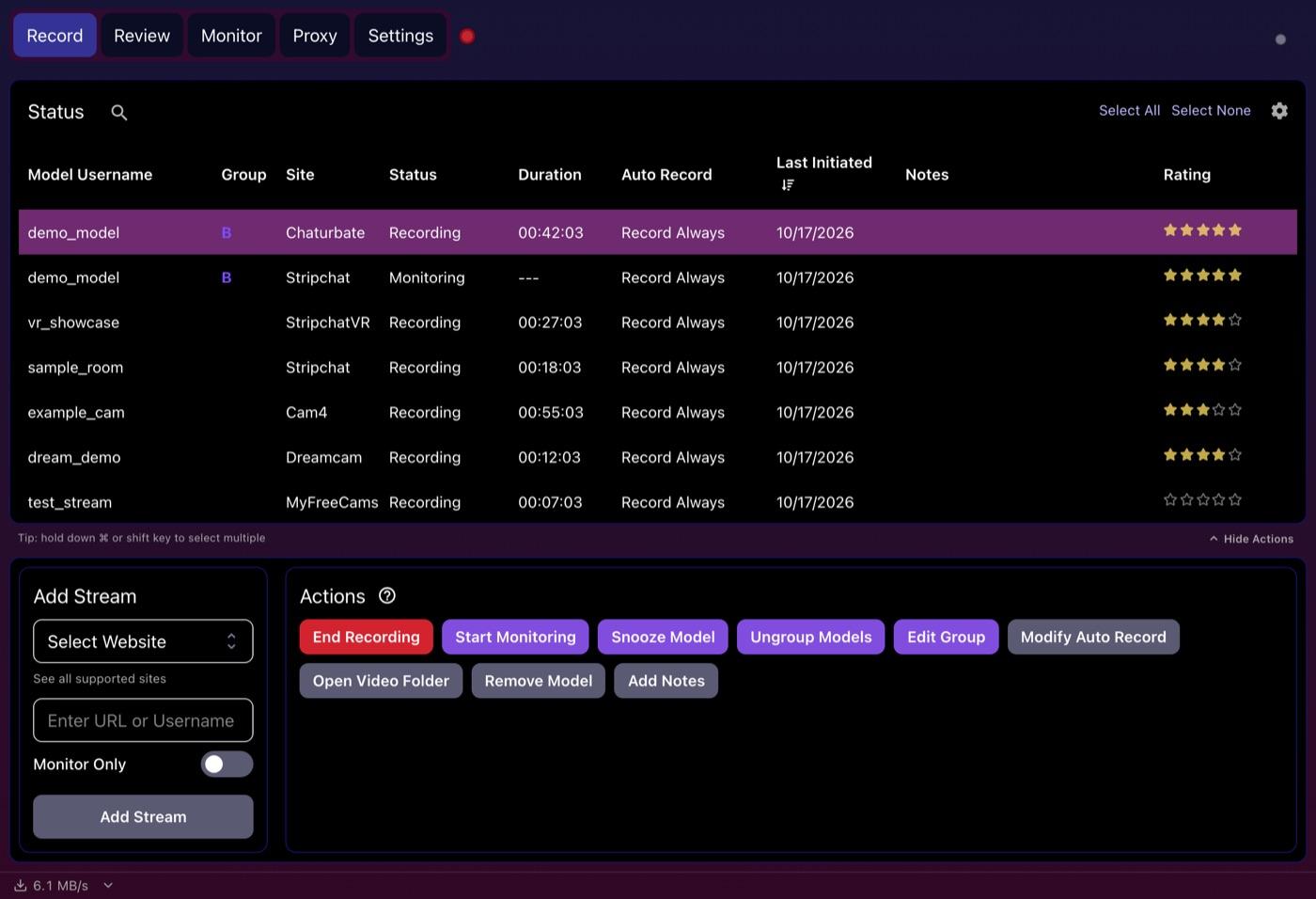
Who presses Record?
With OBS, you do. OBS can't tell when a model goes online, so you need to be at your computer when the show starts and stop the recording when it ends. Plugins and scripts can schedule or trigger recordings, but you would be building and maintaining that setup yourself.
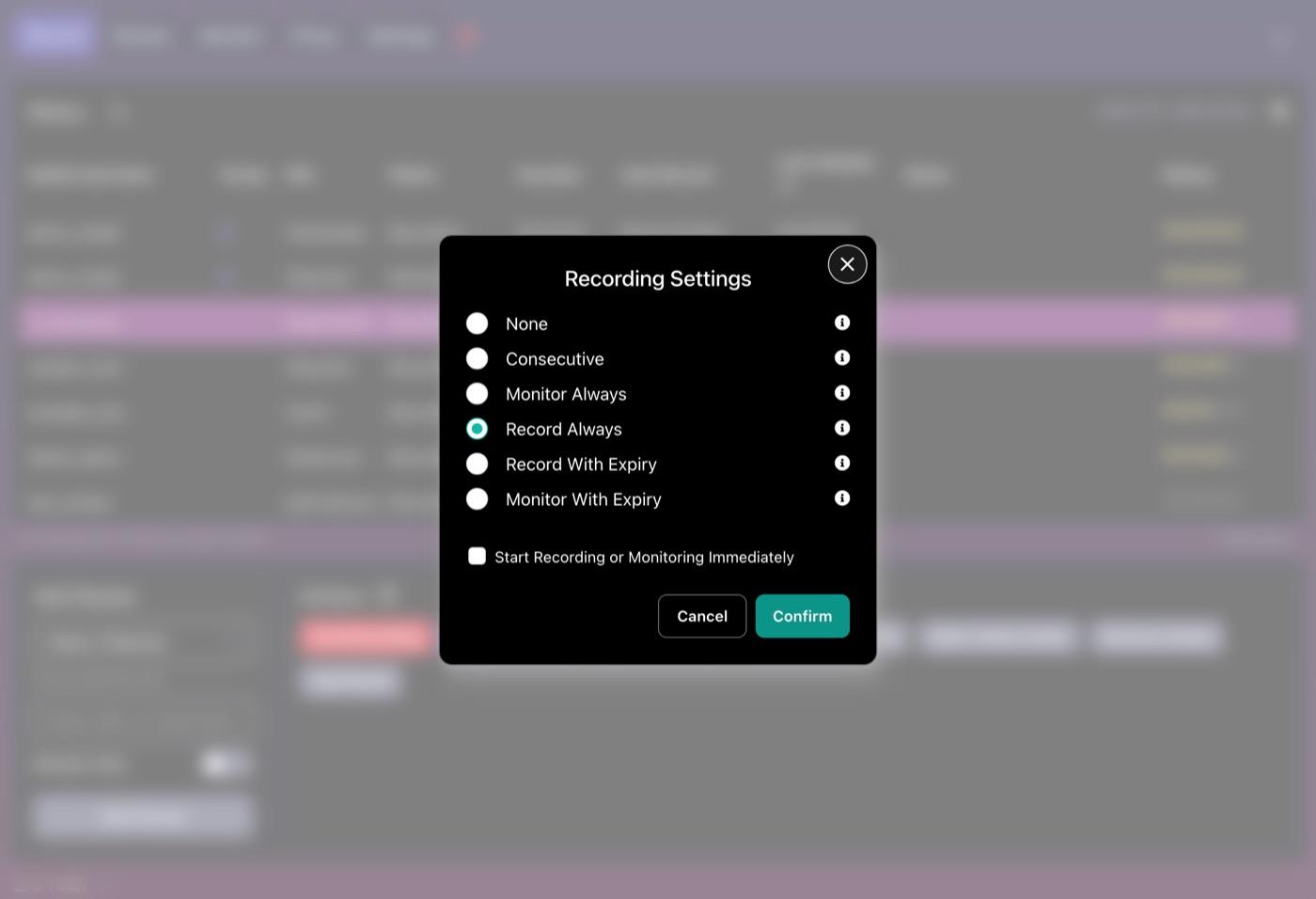
CaptureGem Premium includes auto-record: the app watches the models you add, starts recording the moment one goes live and carries on after a dropped connection or a network timeout. The Recording Settings dialog offers modes such as Record Always, Monitor Always and Consecutive, plus versions that expire, and a setting can switch auto-record on for each new model automatically.
The free version is there for testing: it records models who are live when you add them, up to 10 models and 5 minutes per recording.
Recording more than one show
A normal OBS setup produces one composited recording. Capturing two rooms means squeezing two browser windows into one scene, which gives you one file with both shows in it, or building something far more elaborate. CaptureGem records each model to its own file, and with Premium it records as many at once as your connection can handle.
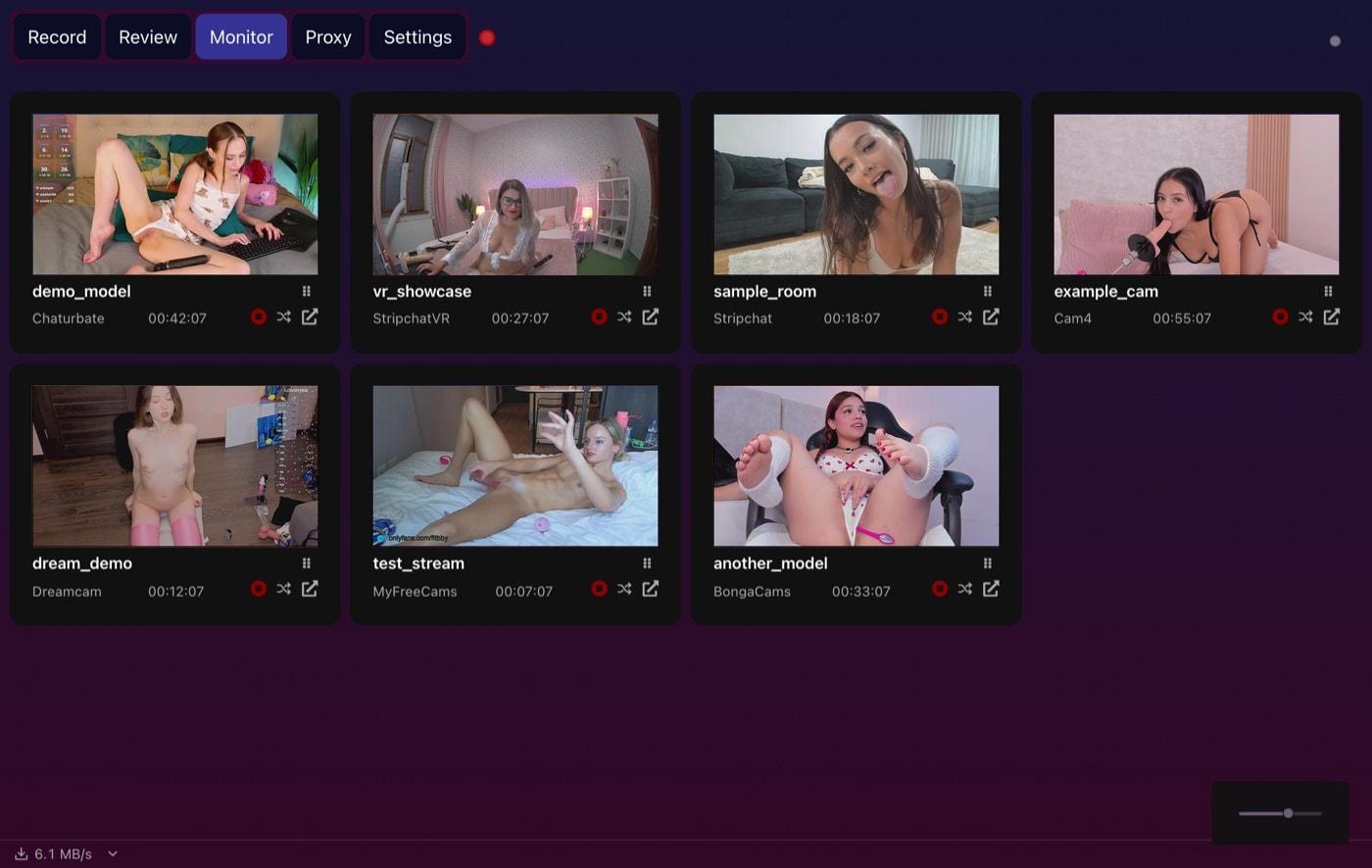
To keep an eye on everything, the Monitor tab puts a small live preview of each running recording on one screen. The previews come from the streams CaptureGem is already saving, so watching costs no extra bandwidth.
What happens after the show
OBS's job ends when the file is saved. You get a video in a folder, and sorting, trimming or merging is up to other apps.
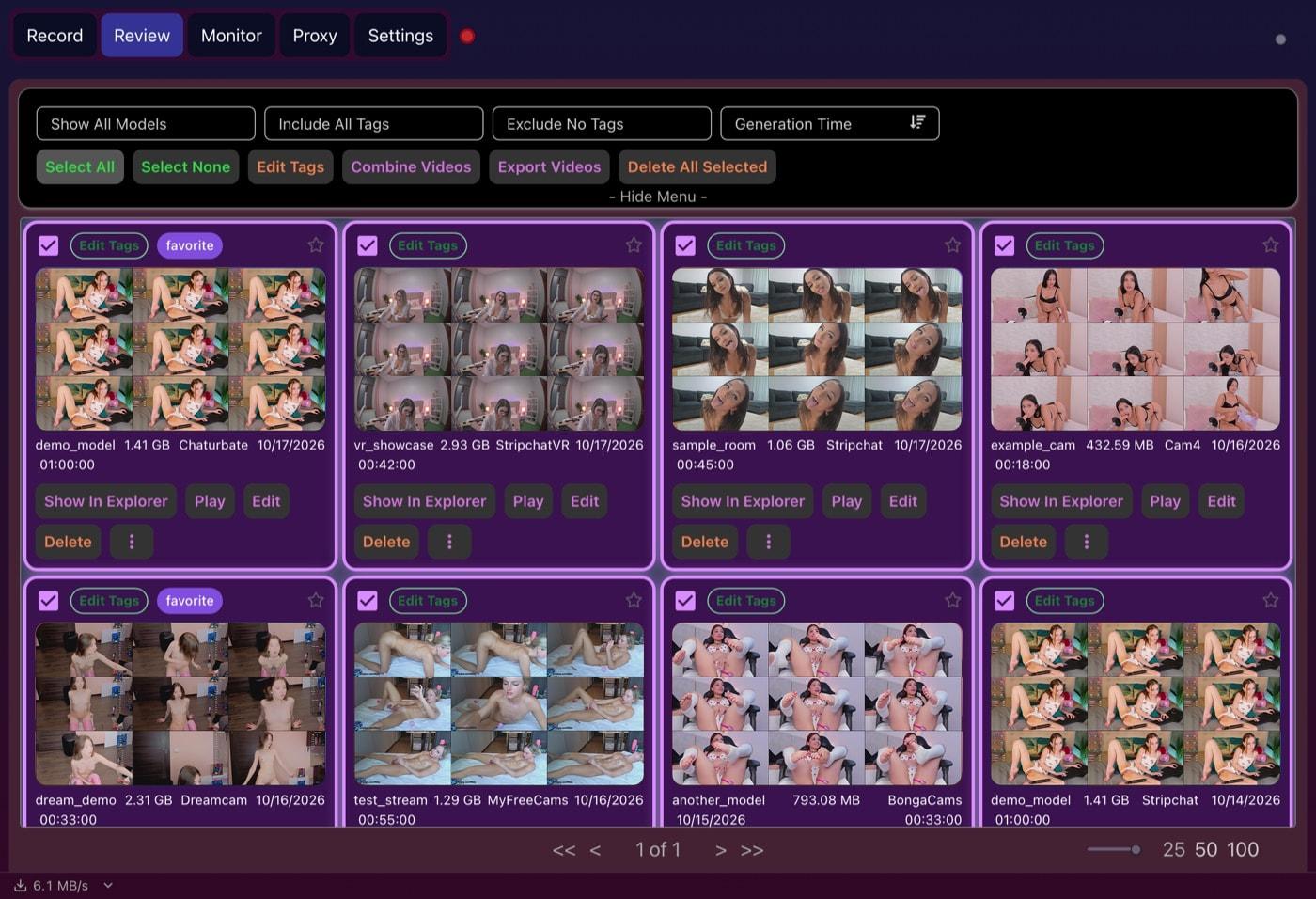
CaptureGem keeps going. The Review tab gives each recording a grid of preview images, so you can tell what is in it without pressing play, and adds tags, favorites, sorting, a filter by model and deletion protection. Select a batch of recordings to edit their tags, combine them, export them or delete them in one go, or open one in the built-in editor to cut the parts you don't want.
When OBS is the right tool
OBS is the best free tool around for producing your own content. Its audio mixer, filters, transitions, hotkeys, studio mode and huge plugin library go far beyond anything a cam recorder needs. Use OBS if you:
- stream live or record yourself with a webcam and microphone
- build scenes with overlays, captions or picture-in-picture
- make tutorials, screen walkthroughs or gameplay videos
For a stream that isn't one of CaptureGem's built-in sites, try CaptureGem first anyway: it can also record 130+ other platforms via Streamlink, and Premium's Proxy mode can record streams from unsupported sites while you watch them in your browser.
Which should you choose?
Ask what you're trying to do. Making videos or going live yourself: OBS. Saving shows from cam sites, especially several models or shows that start while you are away: CaptureGem, by a wide margin. You get cleaner files at the stream's own quality, no browser to babysit and a library to browse afterwards.
Want to judge the quality yourself? Record the same show with both apps for a few minutes and compare the two files side by side on a big screen.
Verdict
OBS Studio is a brilliant studio app, but screen capture is a workaround for cam recording. CaptureGem does the job directly: it saves the site's own stream, runs unattended with Premium and organises everything afterwards. Download CaptureGem for free and add a model you follow.
One last thing: record only shows you're allowed to save, and respect the performers, every site's terms and the law where you live.