CaptureGem vs CTBRec: Open-Source Tinkering or an All-in-One Recorder?
Published
Lots of people who browse the posts and the model directory here end up wanting to save shows themselves, at the quality the site streams. Two desktop recorders come up again and again for that: CaptureGem and CTBRec, also known as CTB Recorder.
Both apps watch cam rooms and save public shows to your disk, and you can use either one on a Windows PC, a Mac or Linux. CTBRec is an open-source project, free to use, aimed at people who like to configure things. CaptureGem is a polished all-in-one app that records, organises and trims in one window.
CaptureGem and CTBRec side by side
| Feature | CaptureGem | CTBRec |
|---|---|---|
| Price | Free version; Premium removes its limits | Free and open source, supported by donations |
| Computers | Windows, macOS, Linux | Windows, macOS, Linux (Java runtime bundled) |
| Built-in sites | 24, including StripchatVR, Dreamcam and SexLikeReal | 11 listed on its website |
| Other platforms | 130+ more through Streamlink | Not advertised |
| VR recording | Side-by-side VR MP4 files for headset players | Not advertised |
| File format | MP4 by default, MKV optional | MPEG-TS (.ts); remux or convert for MP4 or MKV |
| Browsing recordings | Review tab with automatic image grids, tags and favorites | Recordings list; contact sheets via a post-processing step |
| Trimming and combining | Built-in editor and Combine Videos | No built-in editor advertised |
| Cross-site model groups | Yes, with Premium | Not advertised |
| Remote use | Advanced: a headless Linux recorder controlled over a local HTTP API | Server mode, controlled from the desktop app |
Setting up your first recording
CTBRec gives you plenty of knobs. It records out of the box, but converting to MP4, renaming, moving files or making preview images happens in a post-processing pipeline you build yourself, from steps like copying, renaming, moving, remuxing or transcoding with FFmpeg arguments you write, running a script, or deleting recordings that came out too short. Tinkerers love that; if you just want to save a show tonight, it is extra homework.
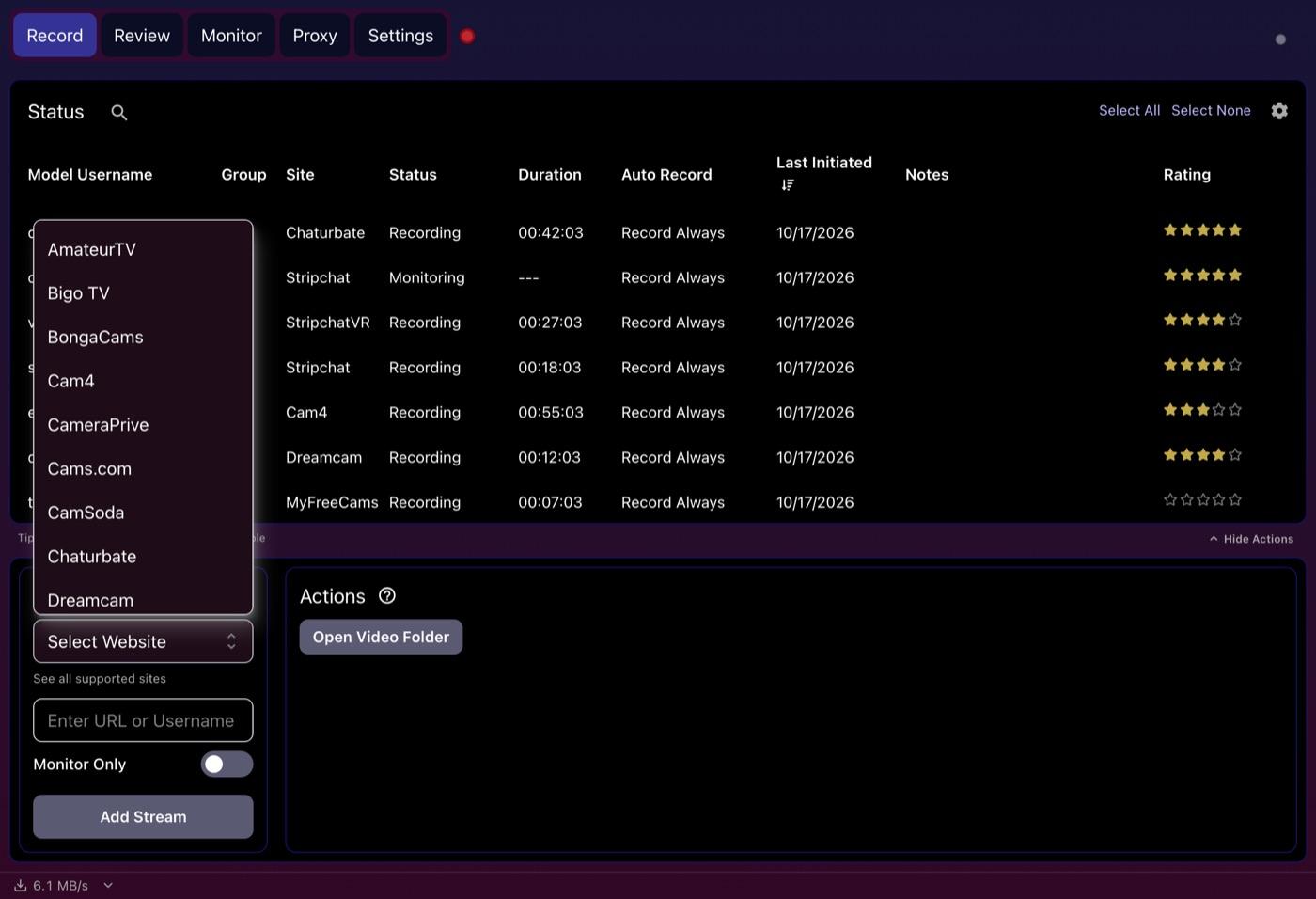
CaptureGem keeps setup short. Download it (no account needed), pick the site in Select Website, then paste a room link or username into Add Stream and click the button. Files are MP4 unless you switch to MKV, and CaptureGem cuts long shows into hour-long parts; you can change the length in Settings.
Which sites can you record?
This is the biggest gap between the two. CTBRec's website lists 11 sites: BongaCams, Cam4, CamSoda, Chaturbate, Dreamcam, FC2Live, Flirt4Free, MyFreeCams, Streamate, Stripchat and XLoveCam. That covers the big names many of our readers follow.
CaptureGem has 24 built-in sites: every one of those except FC2Live, plus LiveJasmin, ManyVids, Jerkmate, XCams and more, and 130+ other platforms through Streamlink. Three of the built-in sites are VR: StripchatVR, Dreamcam and SexLikeReal. CaptureGem saves them as 120° fisheye video in side-by-side MP4 files (look for _F120_LR at the end of the name), ready for VR players like HereSphere. CTBRec lists Dreamcam but doesn't advertise VR recording.
Finding and trimming recordings afterwards
After a few weeks of recording, the hard part is finding the good bits. CTBRec can list finished recordings and play them in a media player of your choice (it recommends mpv). For visual previews, you add a create contact sheet step to post-processing, which writes a sheet of preview images for each recording.
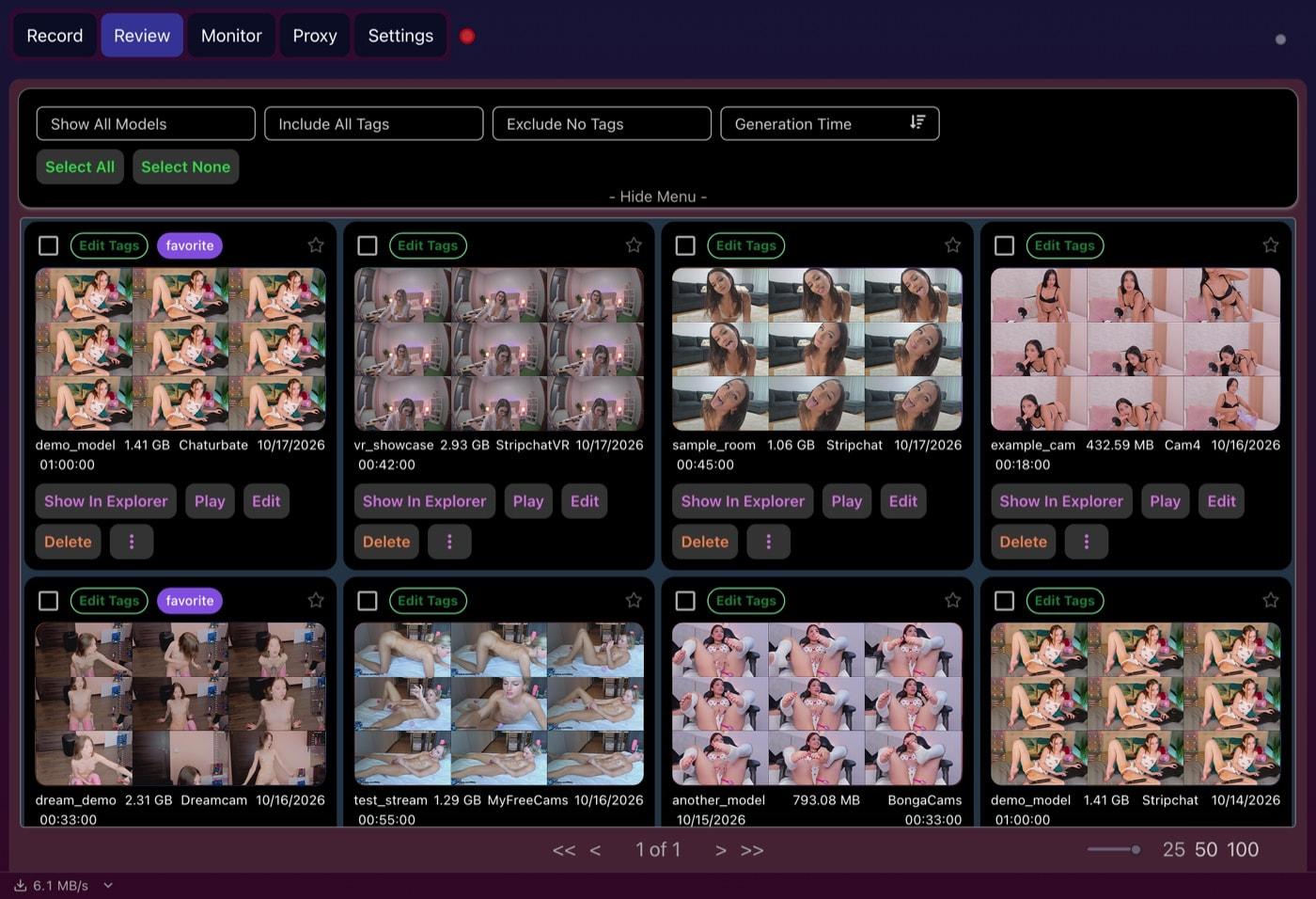
CaptureGem has that built in. Its Review tab makes a grid of preview images for each recording on its own and shows them as cards you can filter by model and tag, sort, favorite and protect from deletion.
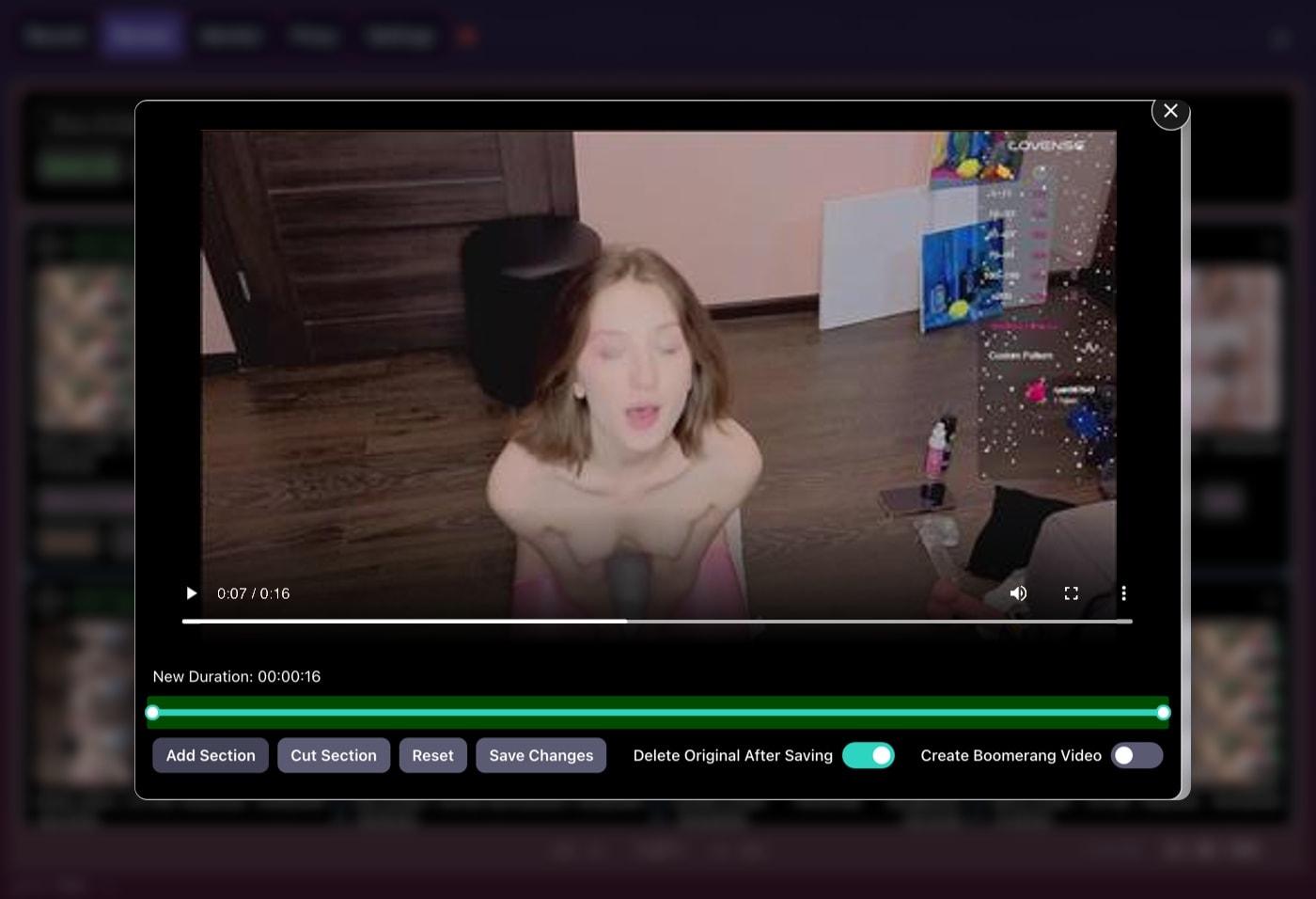
The built-in editor, opened from any card, lets you mark the sections to keep or cut and write the result to a new file, deleting the original if you like. Several recordings can be merged into one video, too. CTBRec doesn't advertise an editor, so trimming there usually means a separate app.
Auto-record and cross-site groups
CTBRec lets you follow models and shows who is online and who is recording. In CaptureGem, hands-off recording is part of Premium: auto-record kicks in when a model goes live and picks the recording back up if the connection drops or times out. The free version, meant for trying the app, records models who are already live when you add them, up to 10 models and 5 minutes per recording.
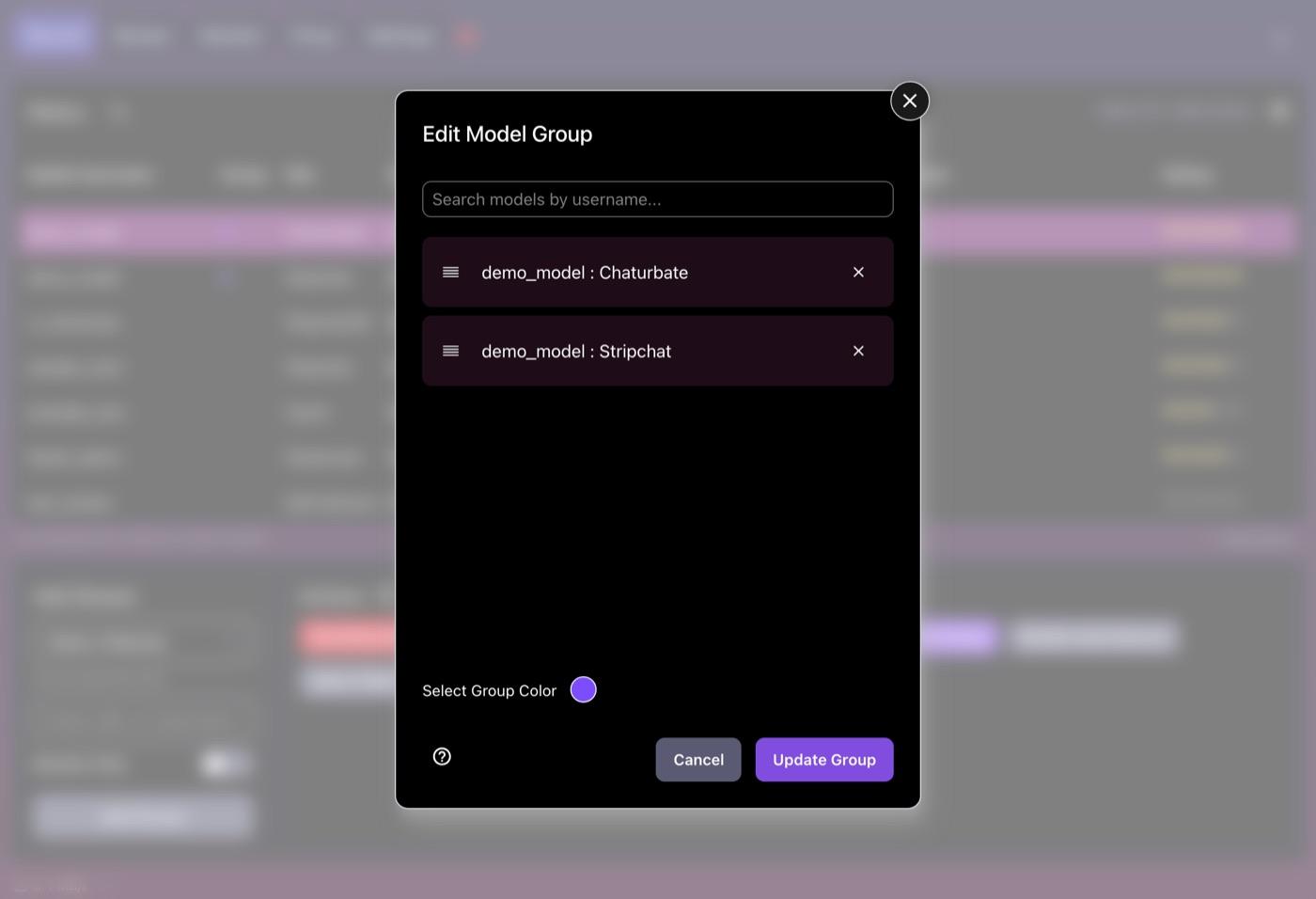
Premium also adds cross-site model groups. Lots of performers broadcast on two or more sites, so you can put their rooms in one group, and if one room goes offline or into a private show, CaptureGem can record from another site in the group. CTBRec doesn't advertise anything like it.
Where CTBRec is the better fit
Credit where it's due: CTBRec is free, open source, donation-supported and still actively developed, with its code and releases on its own Git server. What really sets it apart is server mode: keep the recorder running on a machine that is always on, and steer it from the desktop app on another computer by switching the recording location to Remote.
CaptureGem's closest match is an advanced option: its recorder can run headless on Linux and be driven through a local HTTP API. That isn't a remote version of the app, and some sites, marked Keep app open in our recording guides, still need the desktop app. CTBRec suits you if:
- you want free, open-source software and enjoy configuring it
- you run a home server and want the recorder on it, controlled from your laptop
Which should you choose?
If all your models are on CTBRec's list and you enjoy building a pipeline, CTBRec is a solid free choice.
For most people who find a model here and simply want the shows saved, CaptureGem is the easier, more complete app: more sites including VR, MP4 out of the box, a library that sorts itself into image grids, and built-in trimming and combining. Try the free version to check it handles your sites, then move to Premium for auto-record and unlimited recording time.
Verdict
CTBRec deserves its fans, especially for its price and its server mode. CaptureGem is our pick: it covers more sites, needs less setup and gives you far better tools for browsing and editing what you've recorded. Download CaptureGem and give it a go with the rooms you like.
One last thing: record only shows you're allowed to save, and respect the performers, every site's terms and the law where you live.